> For the complete documentation index, see [llms.txt](https://avacoin.gitbook.io/avacoin/llms.txt). Markdown versions of documentation pages are available by appending `.md` to page URLs; this page is available as [Markdown](https://avacoin.gitbook.io/avacoin/bybit-and-avacoin/what-do-i-need-to-do.md).
# What do I need to do?
## **What do I need to do to drive a brand-new Porsche, hold a fresh iPhone in my hands, and dazzle everyone with the shine of my new Rolex?**
You still have time to participate and claim:
🎁 Exclusive Rewards:
— Free Service Fee for $XP token Airdrop participation\
— Free $XP Token Box worth \~$100\
— Another Free $XP Token Box worth \~$100 when the contest reaches 1,500 participants\
— Free $XP Token Box worth \~$1,000 when the contest reaches 15,000 participants\
— Exclusive in-game avatar in AVAFight\
— iPhone giveaway when the contest reaches 150 participants\
— Rolex giveaway when the contest reaches 1,500 participants\
— Porsche giveaway when the contest reaches 15,000 participants
### **Step 0.**
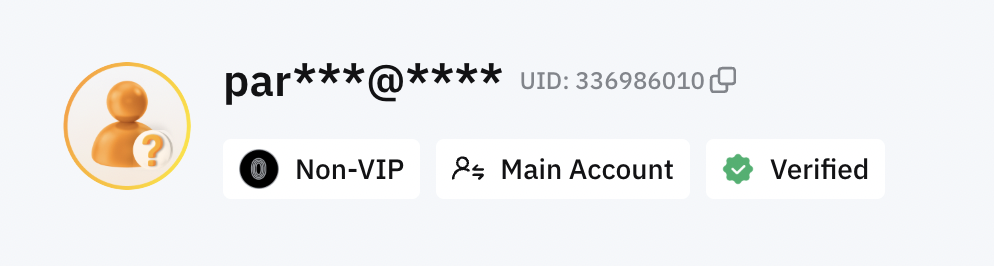
First, check if you already have a verified account on Bybit. If you do, unfortunately, you won’t be able to participate in the contest yourself. However, if you have close friends or family members who haven’t registered or verified their accounts on Bybit yet, you can help them join the contest. And who knows? Maybe they’ll be the ones giving you a ride in a brand-new Porsche!
### **Step 1.**
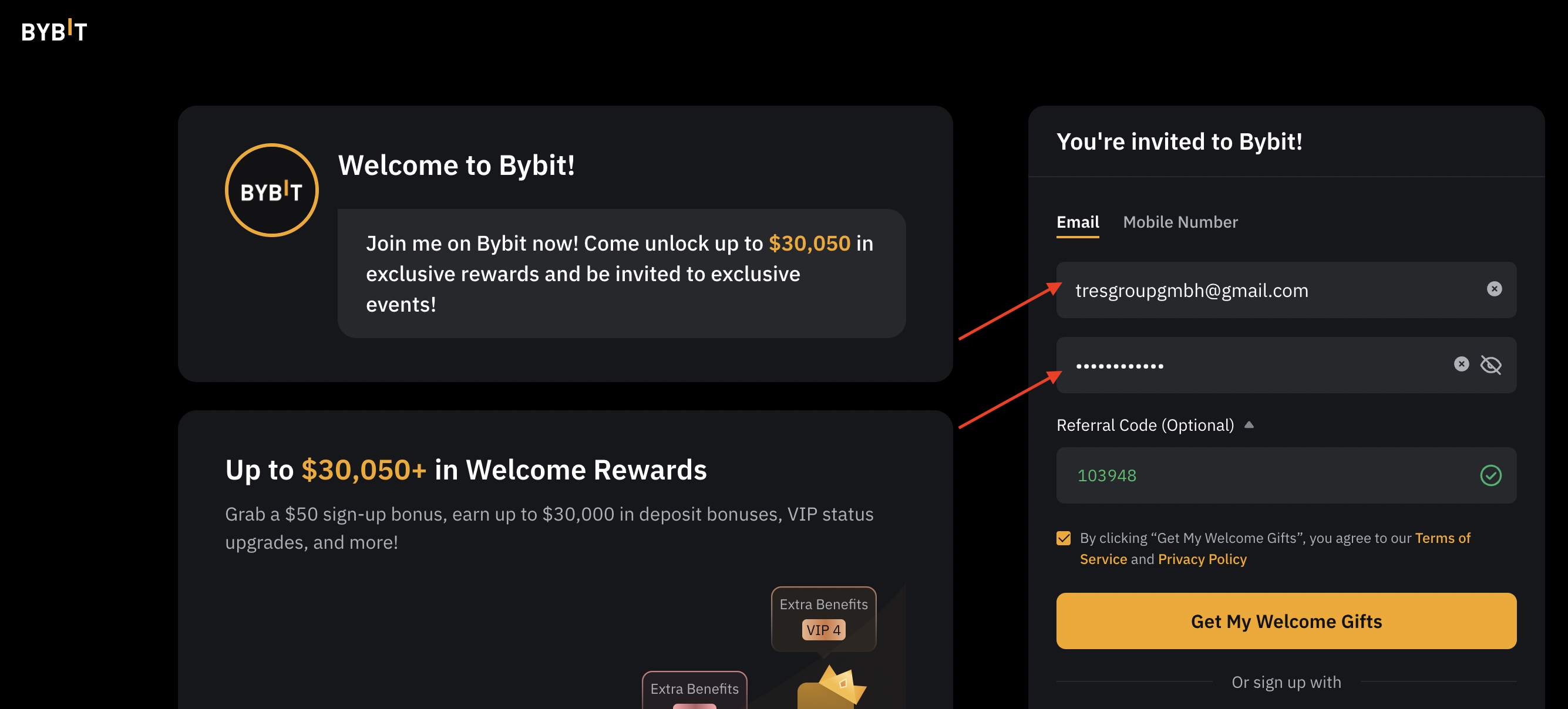
Click the link below to register an account:\
🔗 [Register Now](https://partner.bybit.com/b/avacoin)
— Enter your email address\
— Create a strong password\
— Make sure the Referral Code is set to 103948 and click "Get my Welcome Gifts"
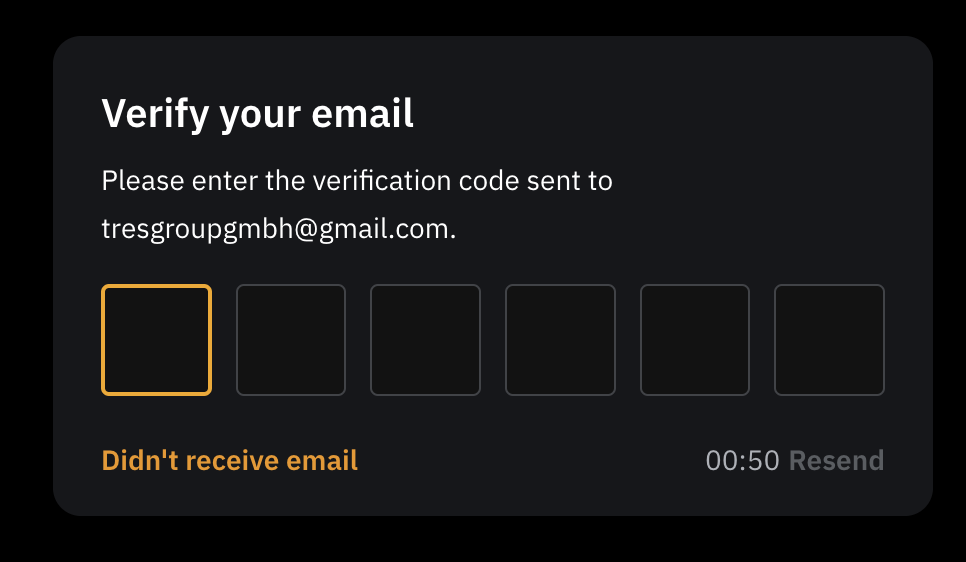
— Next, confirm your email.
### **Step 2. Verify your account**
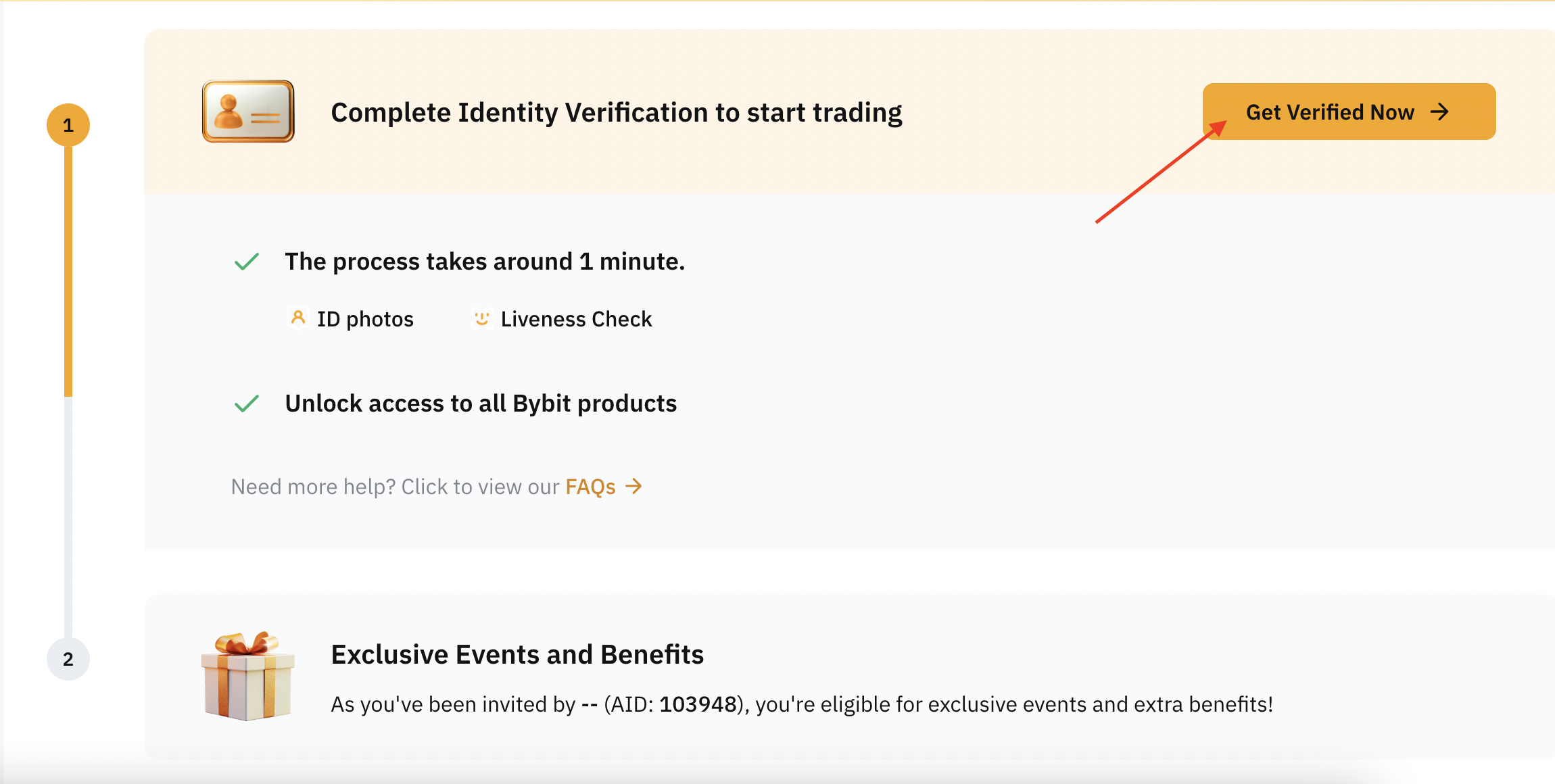
— Click **"Get Verified Now."**
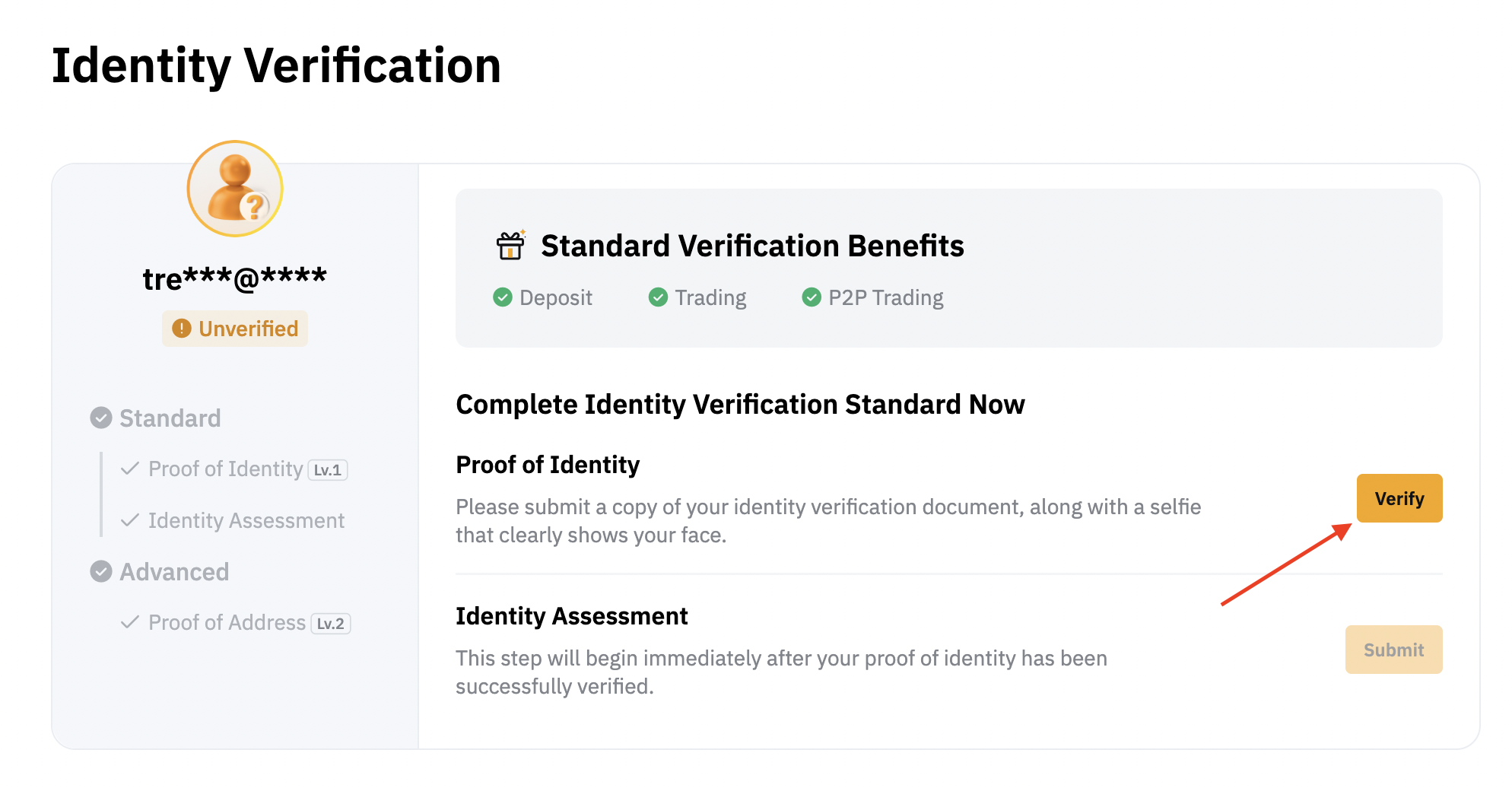
— Prepare your identity document. Click **"Verify."**
— Select your region and identification document, then click **"Continue"**, or choose **"Verify with app"** to complete verification using your phone.
— Follow the on-screen instructions, take a clear photo of your ID to ensure readability, and take a selfie.
— After that, your account will be verified.
### **Step 3. Deposit at least 100 USDT.**
{% hint style="info" %}
Make sure you are not transferring funds from another Bybit account to this one.
{% endhint %}
— Click on **Assets**, then select **Deposit**.
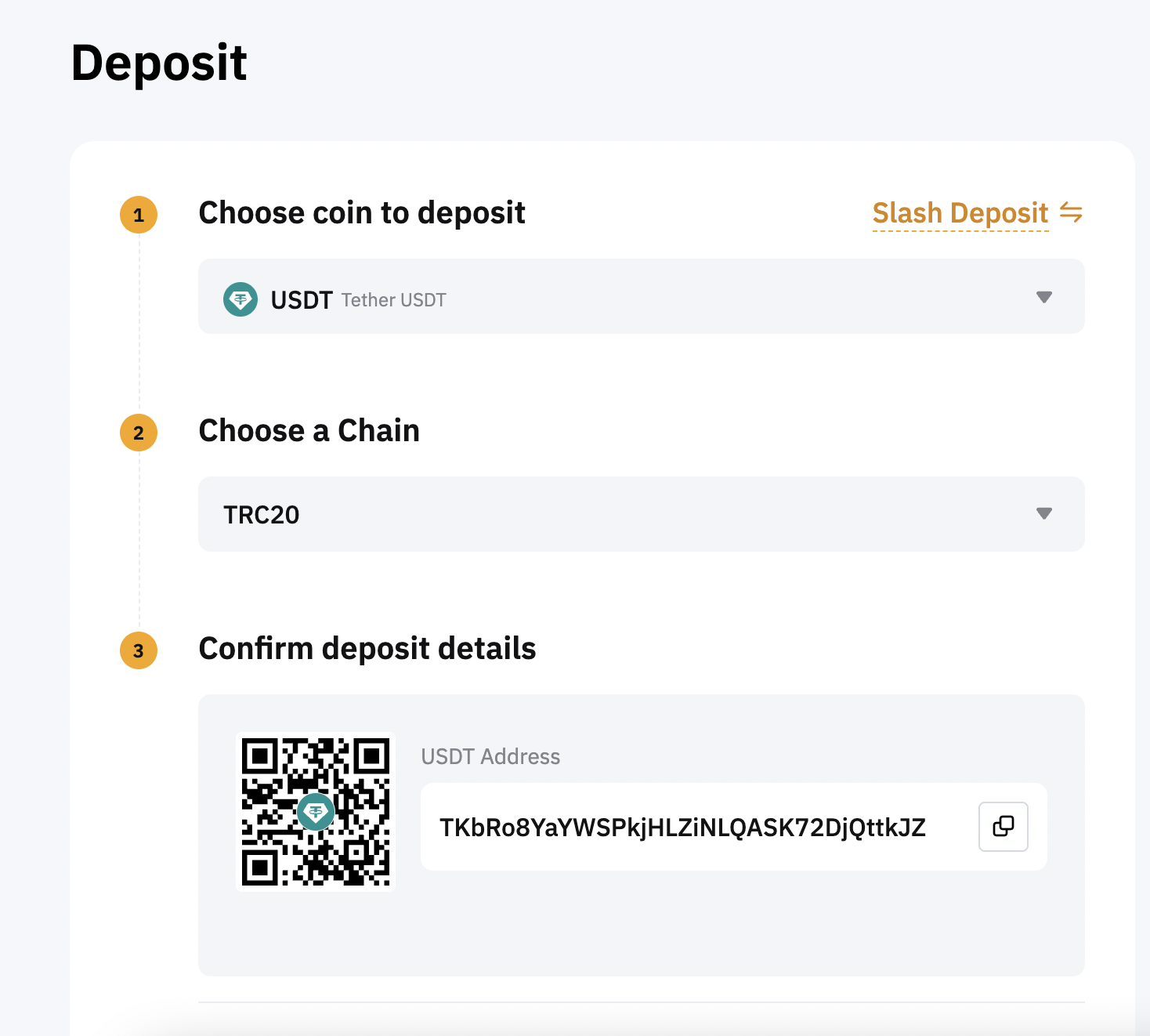
— Next, select **USDT**, choose the deposit network, and copy the provided wallet address.
— Next, send at least **100 USDT** to the copied wallet address.
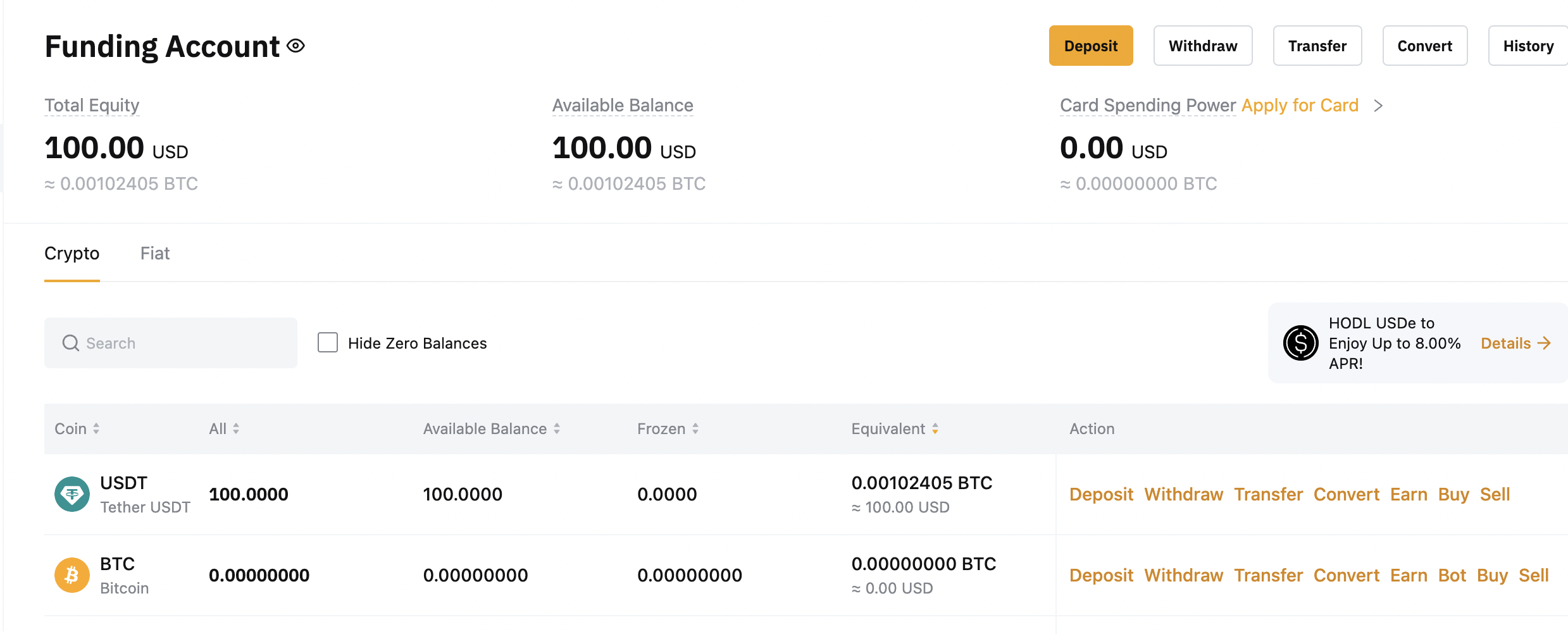
— Next, you will see your **USDT** balance in the **Assets** section.
Now, you need to buy any cryptocurrency with these funds, trade when it's profitable for you, or simply buy **BTC** for the full amount and hold it.
— For example, to buy **Bitcoin**, follow these steps:
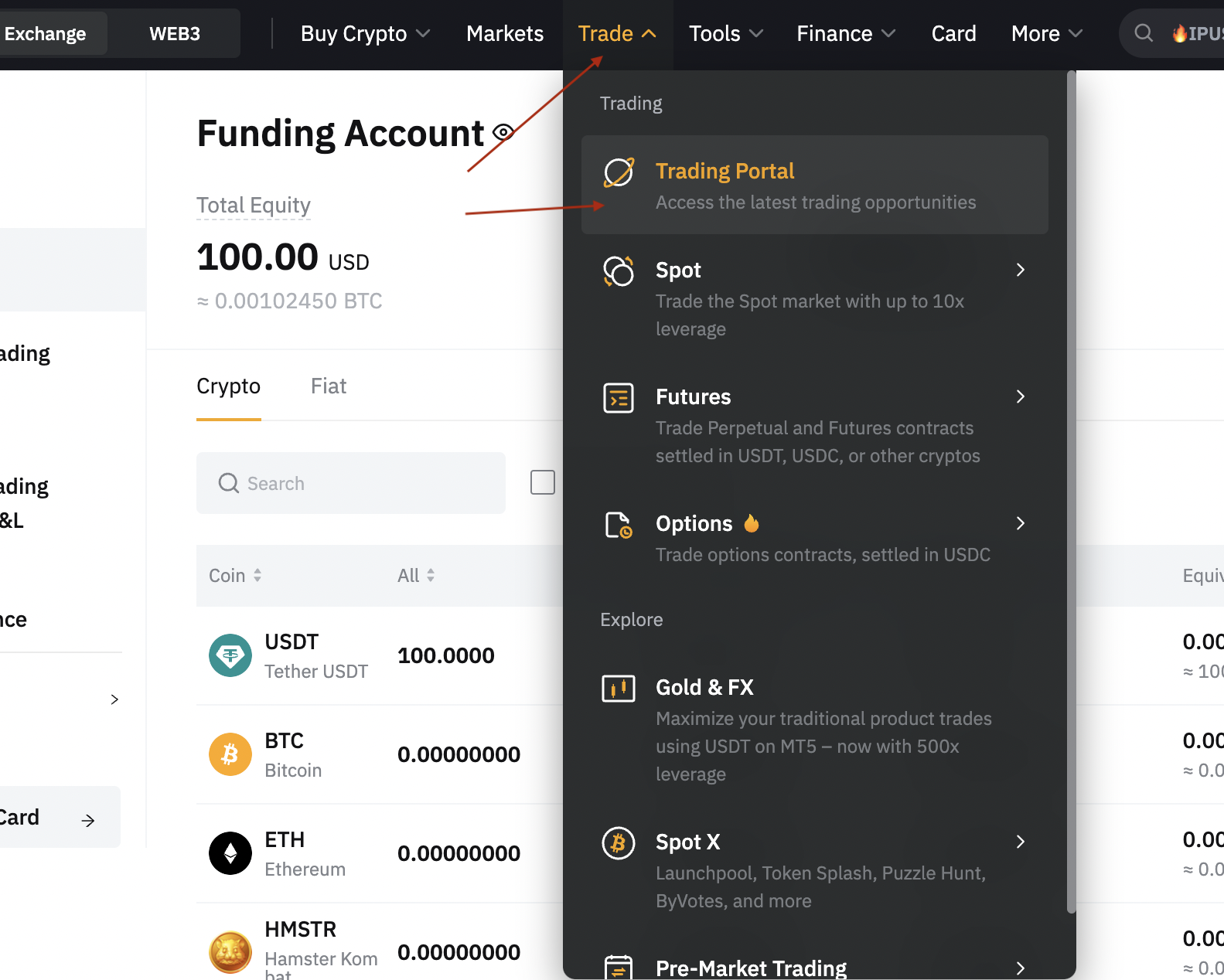
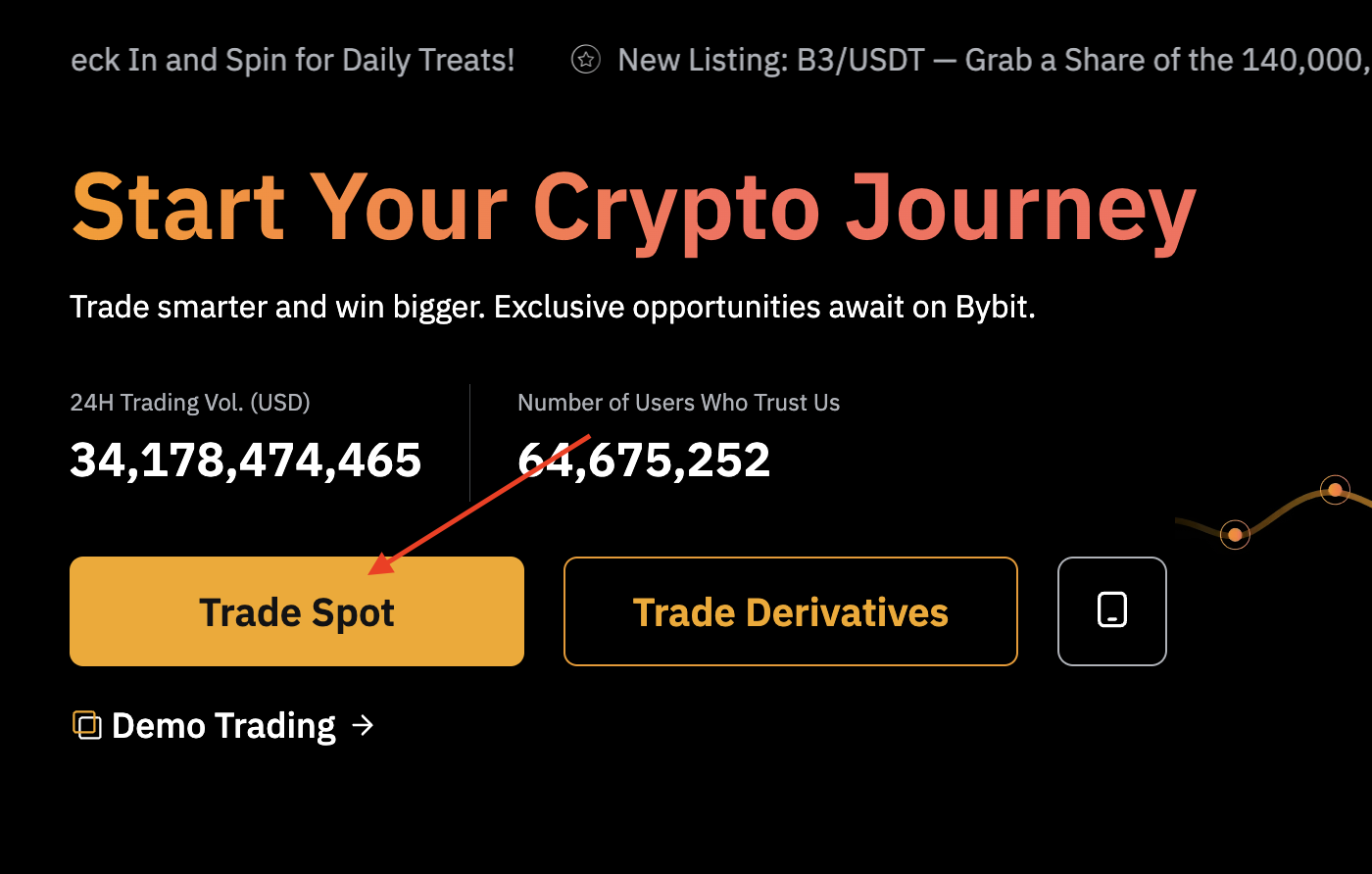
1️⃣ Click **Trade** → **Trading Portal** → **Trade Spot**
2️⃣ Find **BTC/USDT** in the asset list\
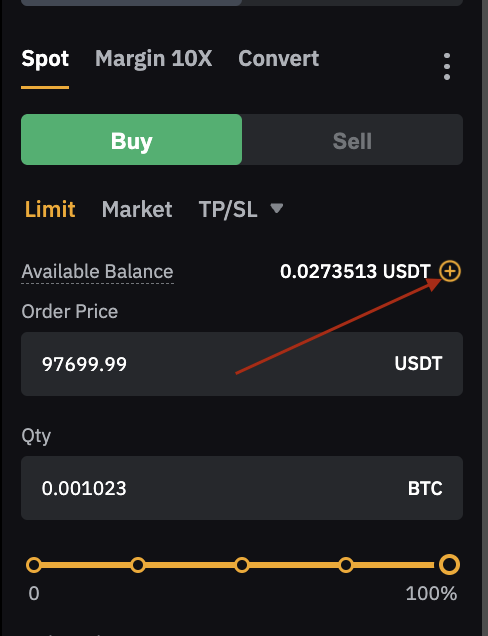
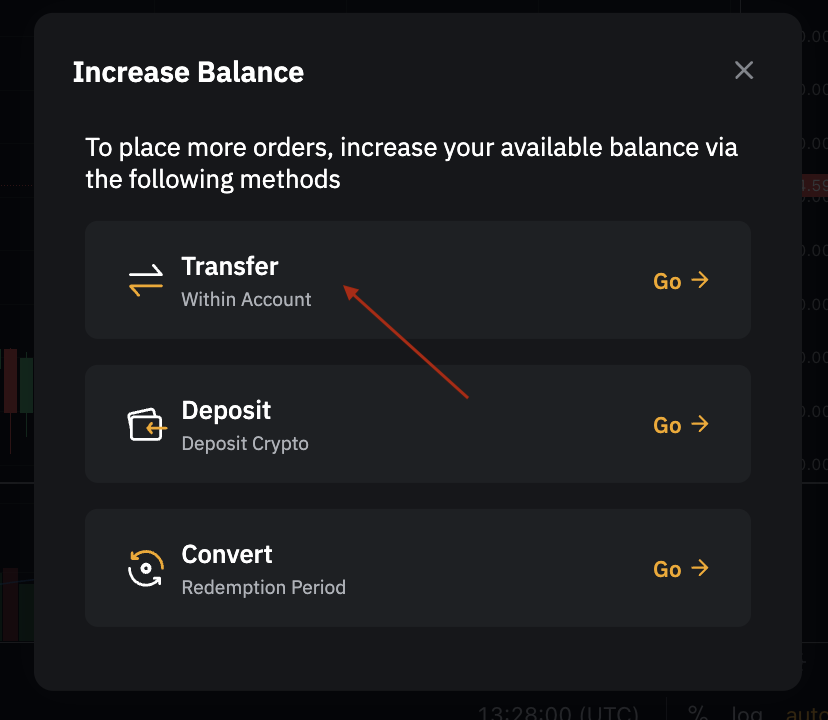
3️⃣ Transfer funds from your **Funding Account** to your **Trading Account**
\
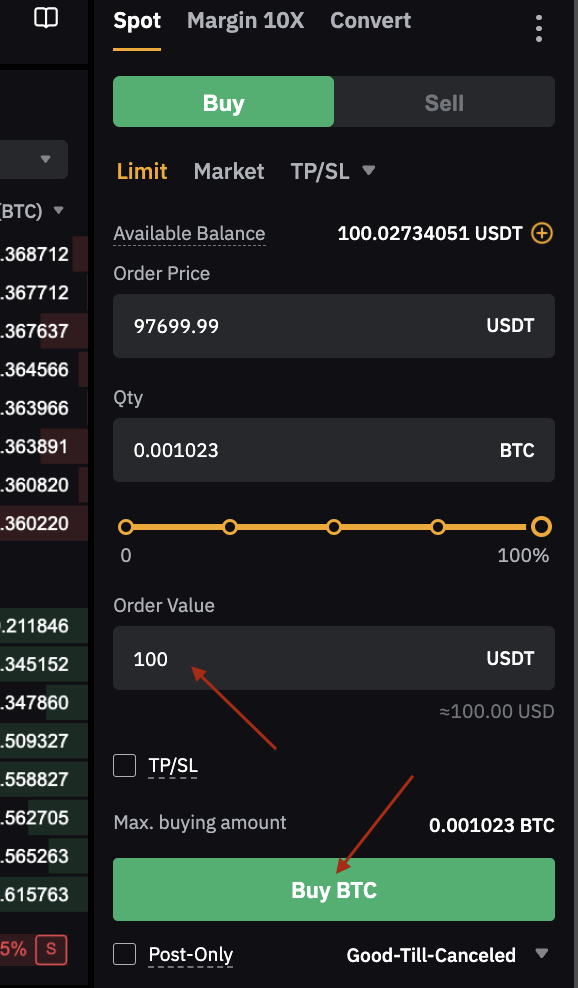
4️⃣ Enter the amount of **BTC** you want to buy\
5️⃣ Click **BUY** ✅
#### **6.** Claim your rewards after the campaign ends by filling out this form:
#### **Important Rules:**
✅ Deposit **$100** and trade with **$100**, keeping at least **$100** in your account until the campaign ends.\
✅ Hold the funds for at least **7 days** (withdrawals are not allowed during this period).
#### **Conditions:**
1️⃣ Only users registered via **AVAcoin** are eligible to participate.\
2️⃣ Only deposits made during the event period will be considered for rewards.\
3️⃣ Deposits made using **sub-accounts** will not be counted.\
4️⃣ Crypto deposits made via **One-Click Buy, P2P, or Fiat Deposit** are eligible.\
5️⃣ Users must complete **Level 1 Identity Verification** before the event ends to receive rewards.\
6️⃣ The prize draw will take place within **3 days** after the campaign ends.\
7️⃣ Rewards will be distributed to eligible users within **14 business days** after the promotion ends.
📌 Read the full terms here:\
🔗 [Event Details](https://announcements.bybit.com/en/article/avacoin-blt9319e17382960cf0/)